70% of field troubleshooting is reading registers. Leave it to otcat.
Read, write, and watch PLC registers directly from the command line using otcat (or short binary alias otc), the way nc lets you inspect a TCP socket. Zero external dependencies, single static binary.
go install github.com/QuitOperation/otcat/cmd/otc@latest
What is otcat
A single static Go binary designed for automation engineers, OT security, and shell scriptability.
Direct PLC Register Diagnostics
Query Modbus holding registers, coils, and discrete inputs directly from standard terminal shell sessions.
Zero Vendor Software Required
Ditch multi-gigabyte proprietary vendor clients. Read raw numbers or structured JSON in under 5ms.
Unix Pipe Composition
Pipe register values directly into awk, jq, or tee for instant automated field logging.
Install via Package Managers
Native package distribution for Debian/Ubuntu, Fedora/RHEL, Alpine Linux, Python PyPI, and Go.
sudo apt install -y otcat
Official Python Library
Python bindings wrapping the compiled Go core binary with zero extra dependencies.
pip install otcat
Field Terminal GIF Demos
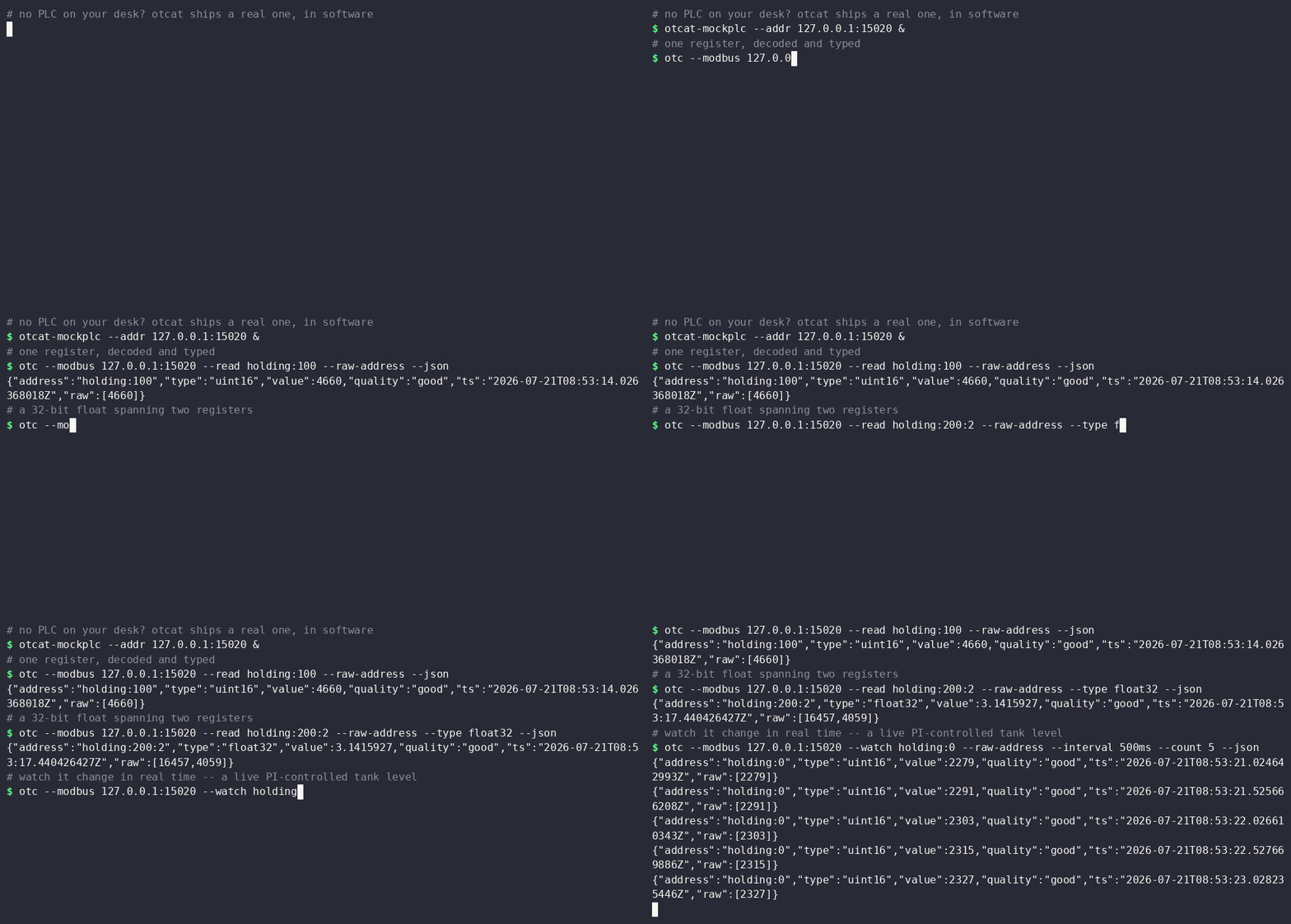
Recorded live terminal sessions of otcat executing Modbus operations and AWK pipelines.
Visual Command Builder
Visually configure CLI flags and execute them directly in the terminal simulator.
Read, watch & write from simply standard shell
No GUI overhead. Run single-shot queries or continuous live telemetry watch streams with jittered exponential backoff for field resilience.
otc as a short binary alias for maximum shell typing speed.
Interactive Address Converter
Convert 5-digit Modbus addresses to 0-indexed hex offsets and protocol function codes.
Frequently Asked Questions
Everything you need to know about using otcat in industrial environments.
40001-style addressing and zero-based offsets. EtherNet/IP, S7comm, and BACnet CLI flags are registered and on the active roadmap.
--confirm) or stdin piping flags (--from-stdin) before sending any write PDU to a controller, preventing accidental register writes.
otc is simply otcat compiled under its short name, giving you identical flags and behavior while saving characters when typing in terminal field sessions.